Drop in a PDF or import MusicXML. Klavia engraves it as real notation and helps you learn it hands-separately with smart fingering, note labels, playback, and play-along practice.
Import once, then read, listen, and play along, all built around the sheet music that matters to you.
A PDF or a MusicXML file. Optical Music Recognition turns printed PDFs into real, editable notation.
Crisp, professionally engraved notes, beams, clefs and key signatures that stay legible in light or dark mode.
Show C-D-E or Do-Re-Mi above each note while you learn, colour-coded by hand, off for a clean score.
Switch to Right, Left, or Both hands. The score is truly re-engraved to a single staff so you can drill each part.
The next note glows. Play it on a MIDI keyboard (or through the mic) and it advances, at your own pace.
A Synthesia-style view drops notes onto an 88-key keyboard, with a tempo you set from the piece's own marking.
Klavia adds finger numbers 1 to 5 to the notes automatically, so you always know which finger comes next. On by default, and you can turn it off for a clean score.
Built-in warm-ups, scales, arpeggios and finger-independence drills. Start slow with the metronome, then raise the tempo as it gets even and relaxed.
Short, practical guides to importing scores, practising with a MIDI keyboard and getting more from every session.
Import a printed or scanned PDF and get playable, engraved notation.
Read the guide 02Practise the piece your teacher gave you, not a fixed catalog.
Read the guide 03Read scores and play along with a USB or Bluetooth keyboard.
Read the guide 04Show letter or solfège labels above every note while you learn.
Read the guide 05Open MusicXML from your notation app for the most accurate result.
Read the guide 06The score waits for you until you play the right note.
Read the guide 07Falling notes, built from your own sheet music.
Read the guide 08Why importing your own scores beats a locked library.
Read the guideReal screens from Klavia. Upload a favourite piece and it becomes something you can read, hear, and play.
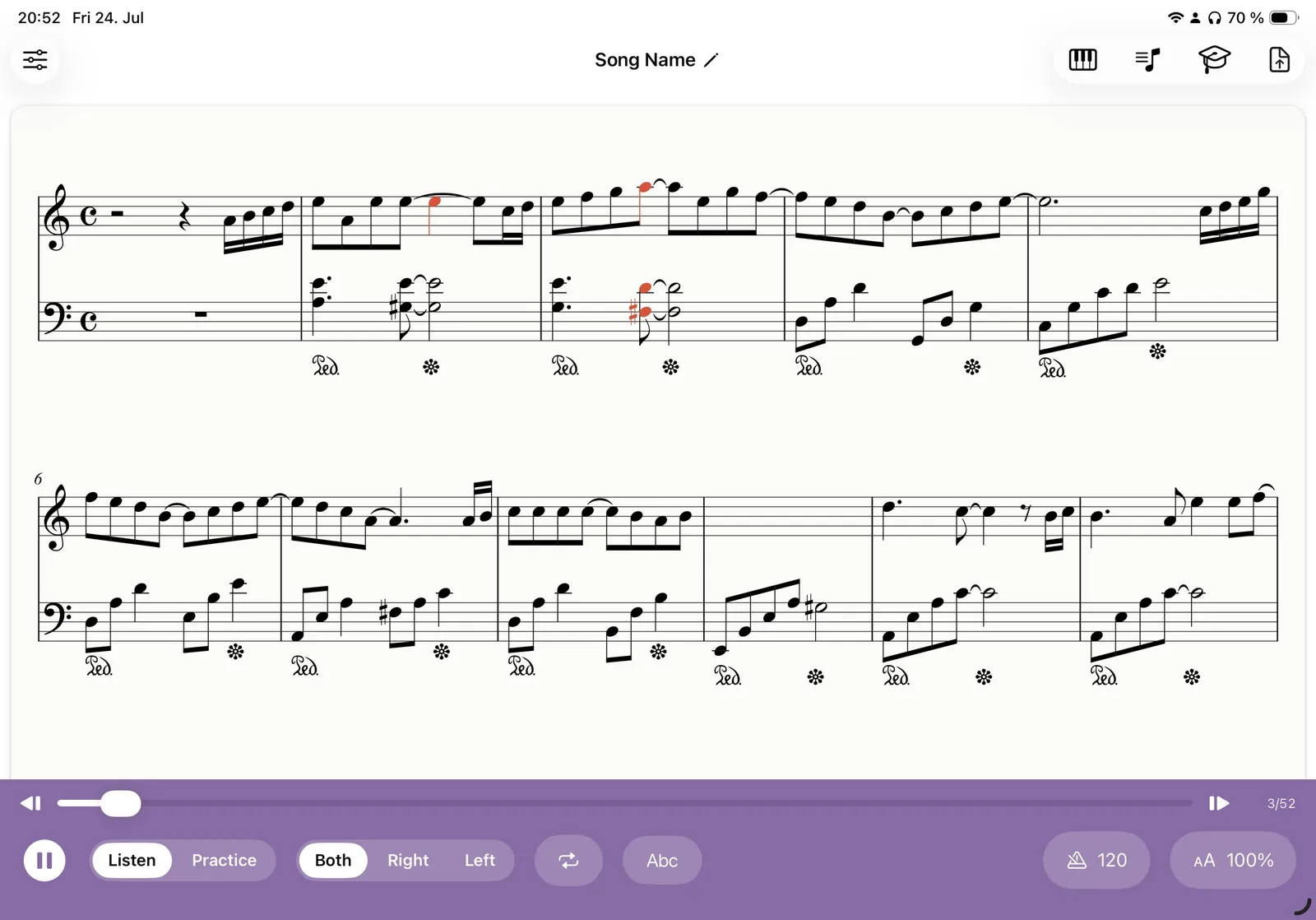
Any piece you upload is engraved as clean, real notation. Press play and a cursor tracks every note, auto-scrolling as it goes.
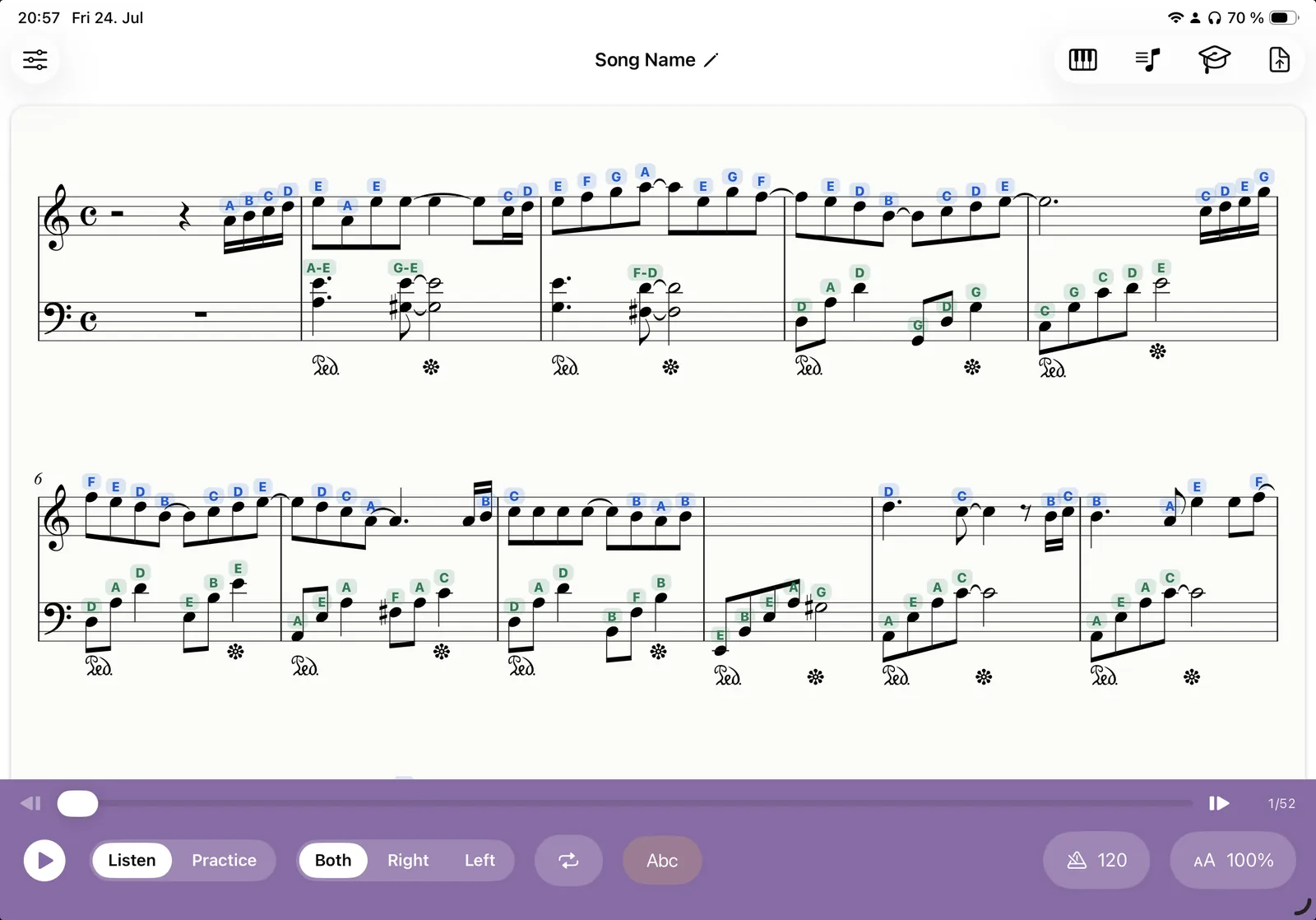
Turn on C-D-E labels while you're learning, blue for the right hand and green for the left, then switch them off for a clean score.
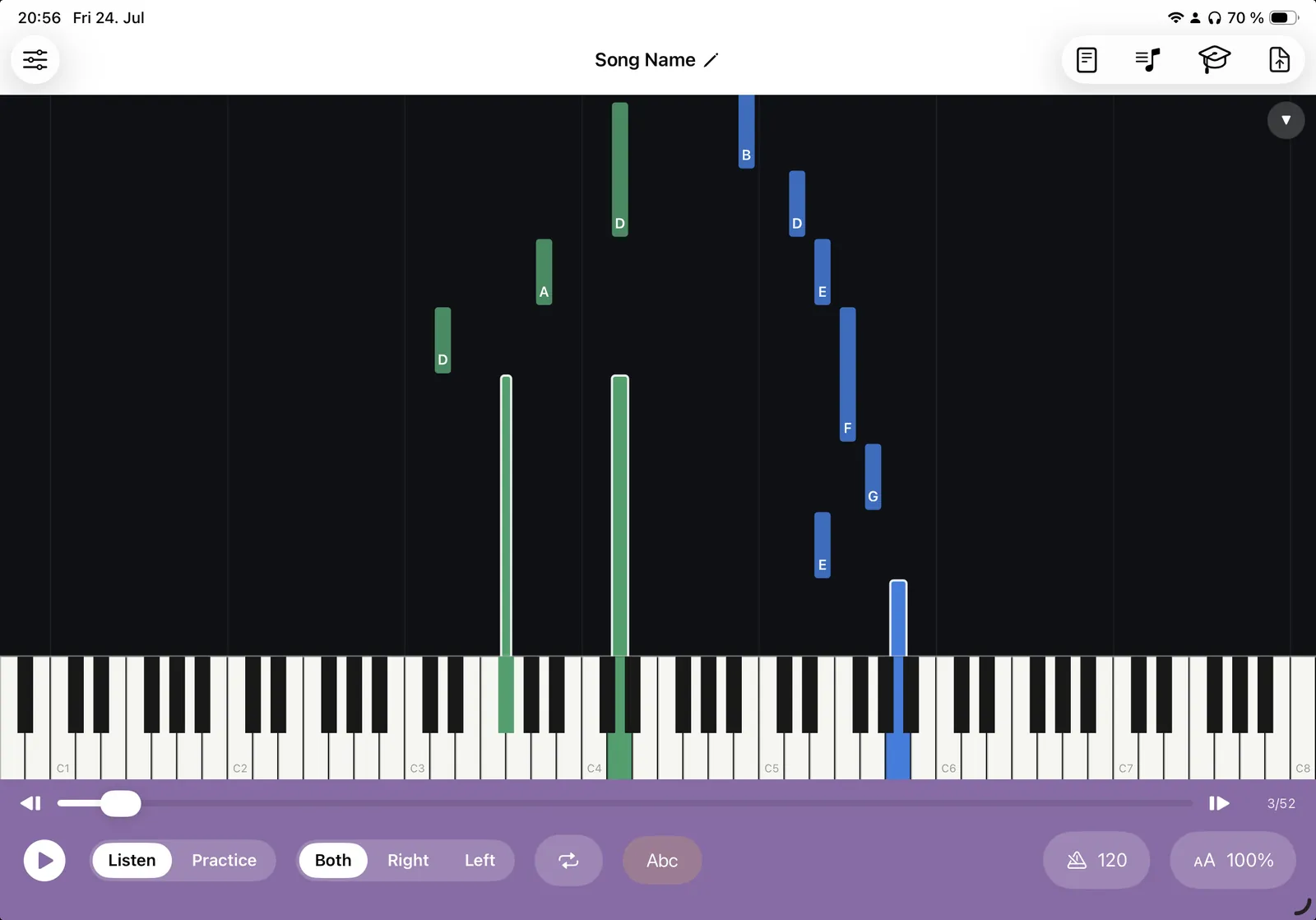
Prefer a Synthesia-style view? Notes fall onto a full 88-key keyboard so you can see exactly what to press and when.
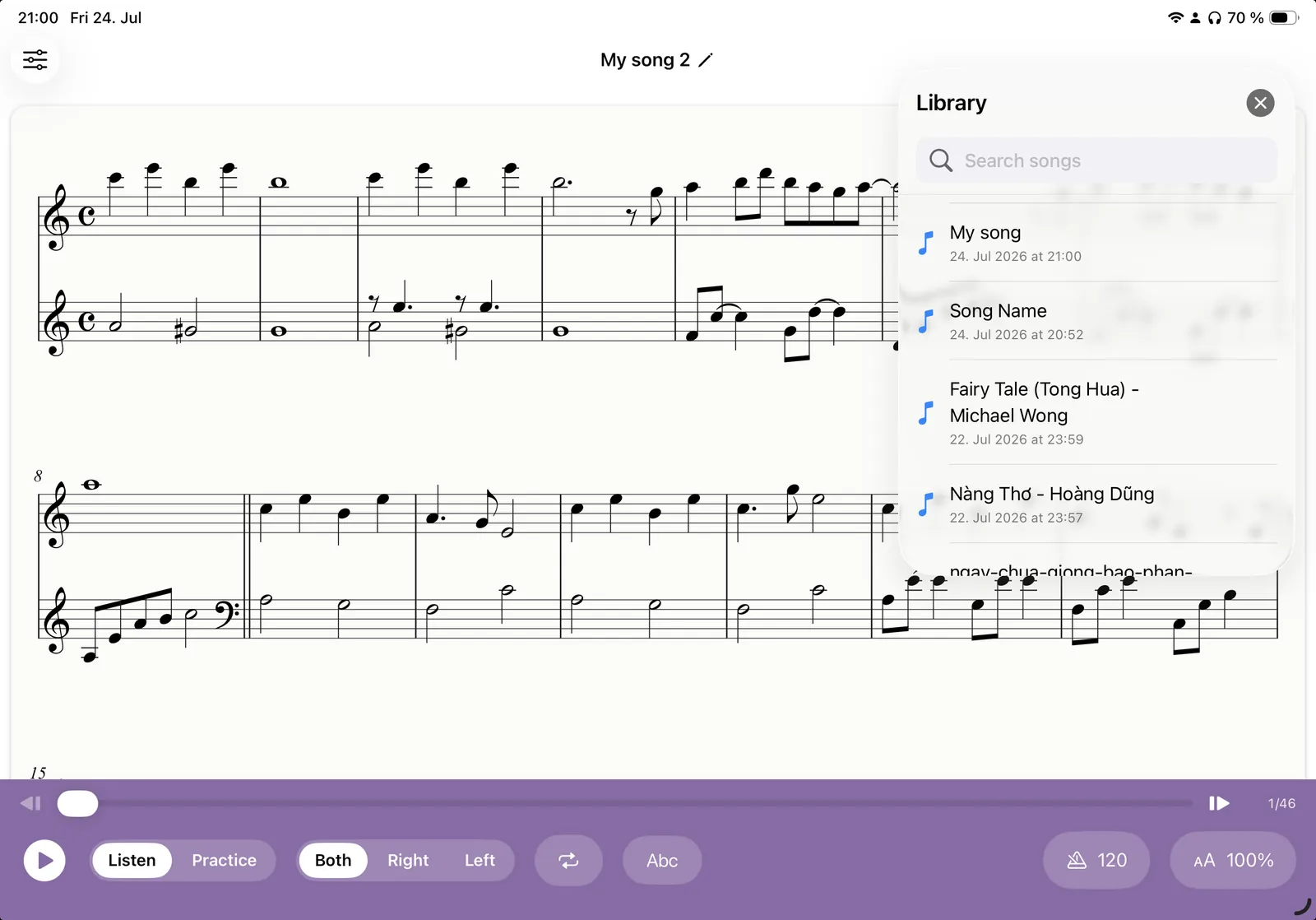
Every song you import is saved on-device. Drag across bars to loop a tricky passage and repeat it until it's yours.
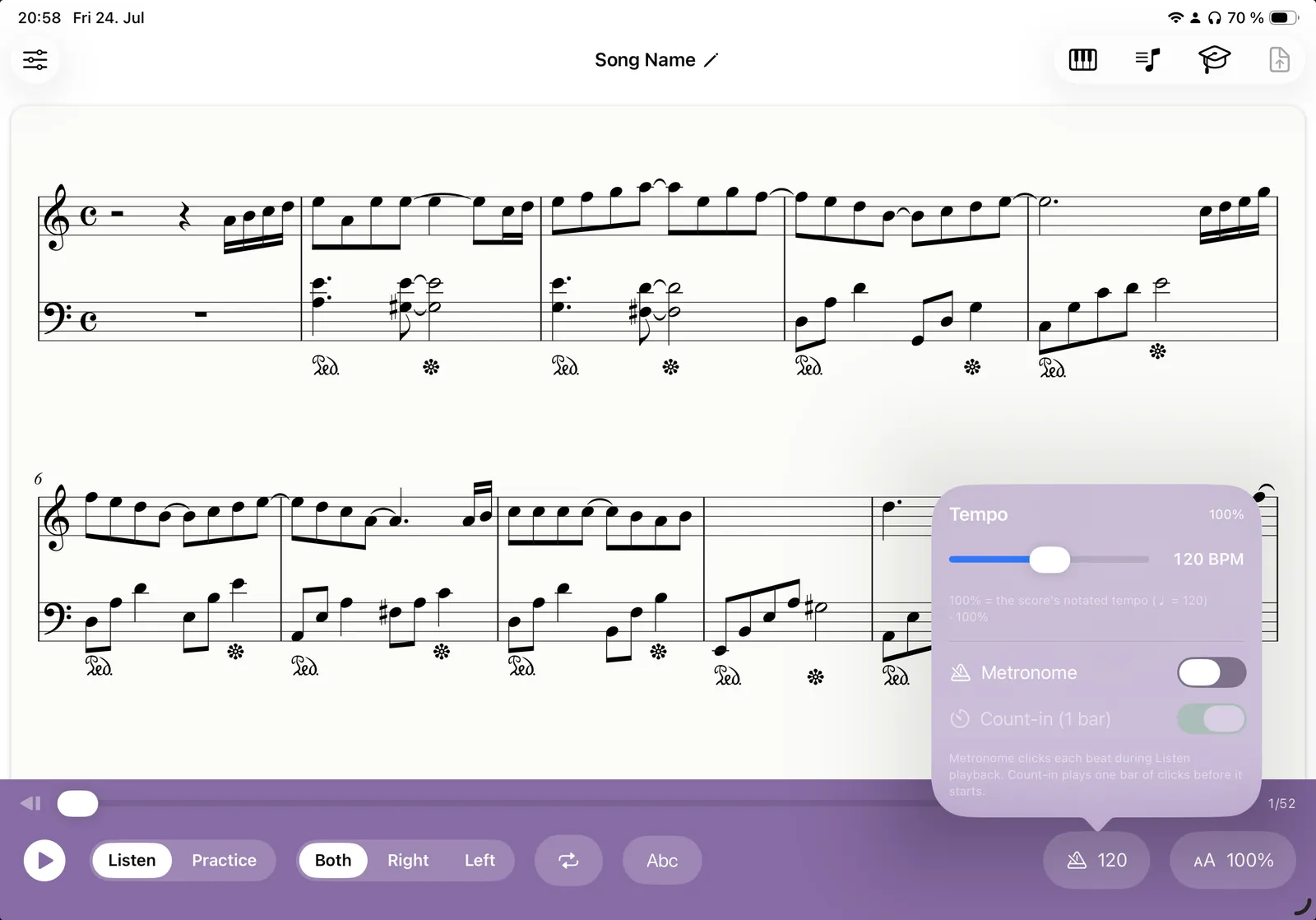
100% is the score's own marked tempo. Slow it right down, add a metronome click or a one-bar count-in, and speed up as you improve.
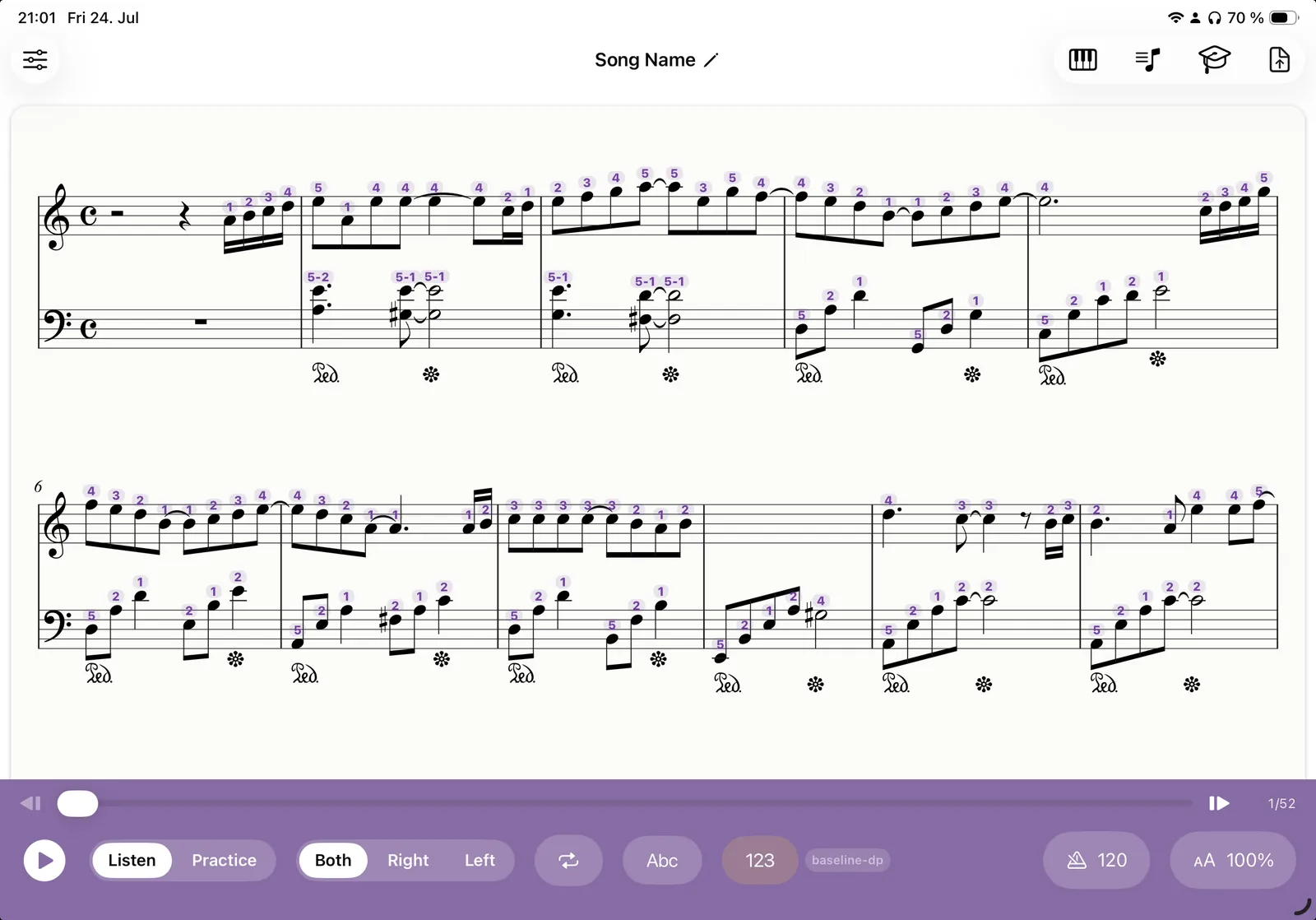
Klavia adds finger numbers 1 to 5 right above the notes, colour-coded by hand, so you always know which finger to use. Turn them off any time for a clean score.
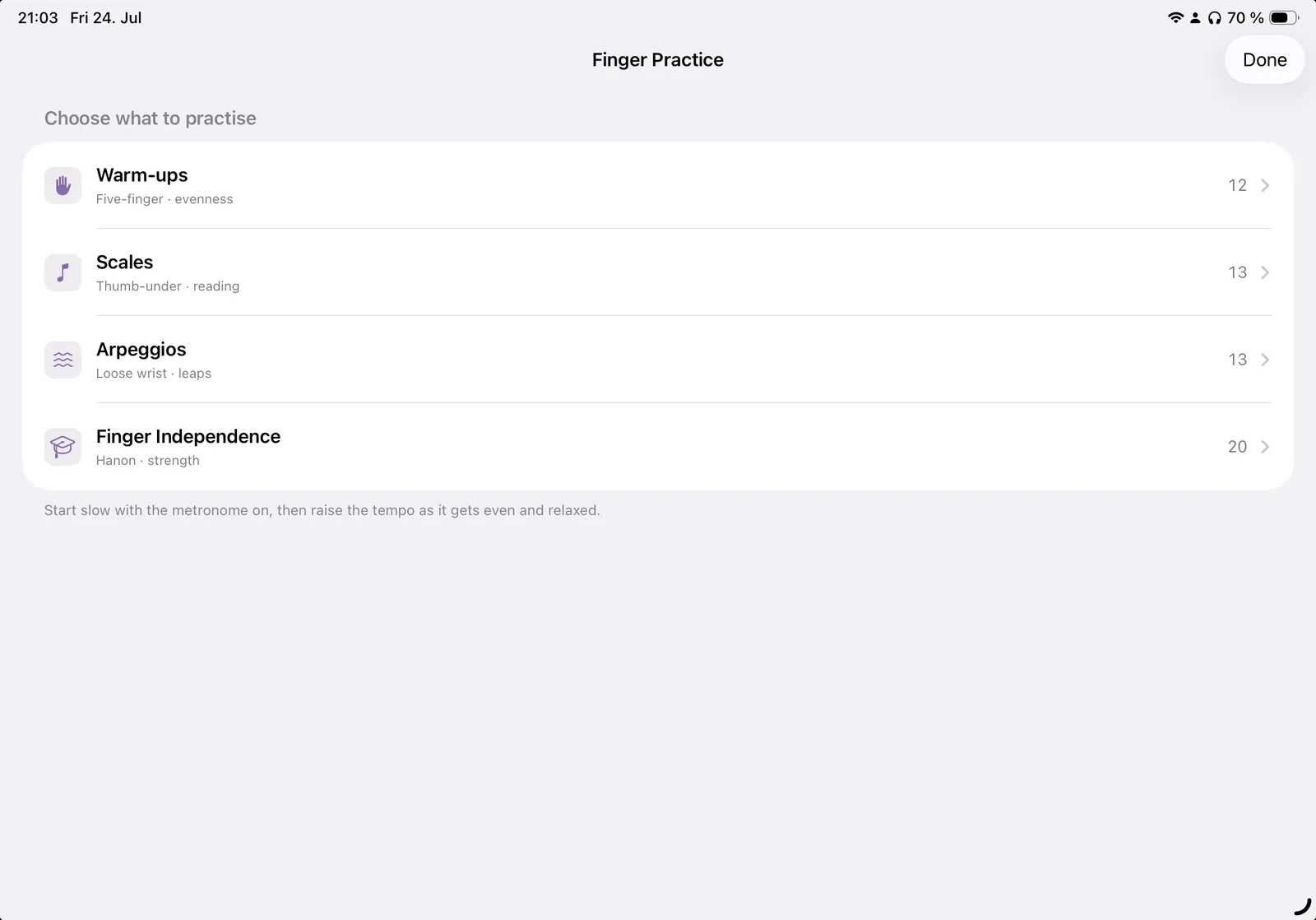
Warm-ups, scales, arpeggios and finger-independence drills are built in. Pick one and practise your technique with the metronome, no import needed.
Practice hands-separately, wait-mode play-along, and connect a MIDI keyboard over USB or Bluetooth, or use the microphone with an acoustic piano.
No new catalog to buy into. Just the music in front of you.
Upload a PDF (a single page or a full document) or drop in a MusicXML file directly.
Klavia recognises the notation and engraves it as a clean, interactive score you can zoom, relabel and reflow.
Listen with a moving cursor, loop a tricky bar, slow the tempo, or switch to wait-mode and play it yourself.
Smart fingering suggests the right finger (1 to 5) for every note, so you always know your hand position and can focus on playing.
Most piano apps only teach the songs they've licensed. Klavia flips it around.
 Klavia