 Klavia
A MusicXML player for iPad that also teaches the piece.
A MusicXML player for iPad usually means one of two things: something that will simply open a .musicxml or .mxl file and show you the notes, or something that will actually play it back and help you learn it. Klavia is the second kind.
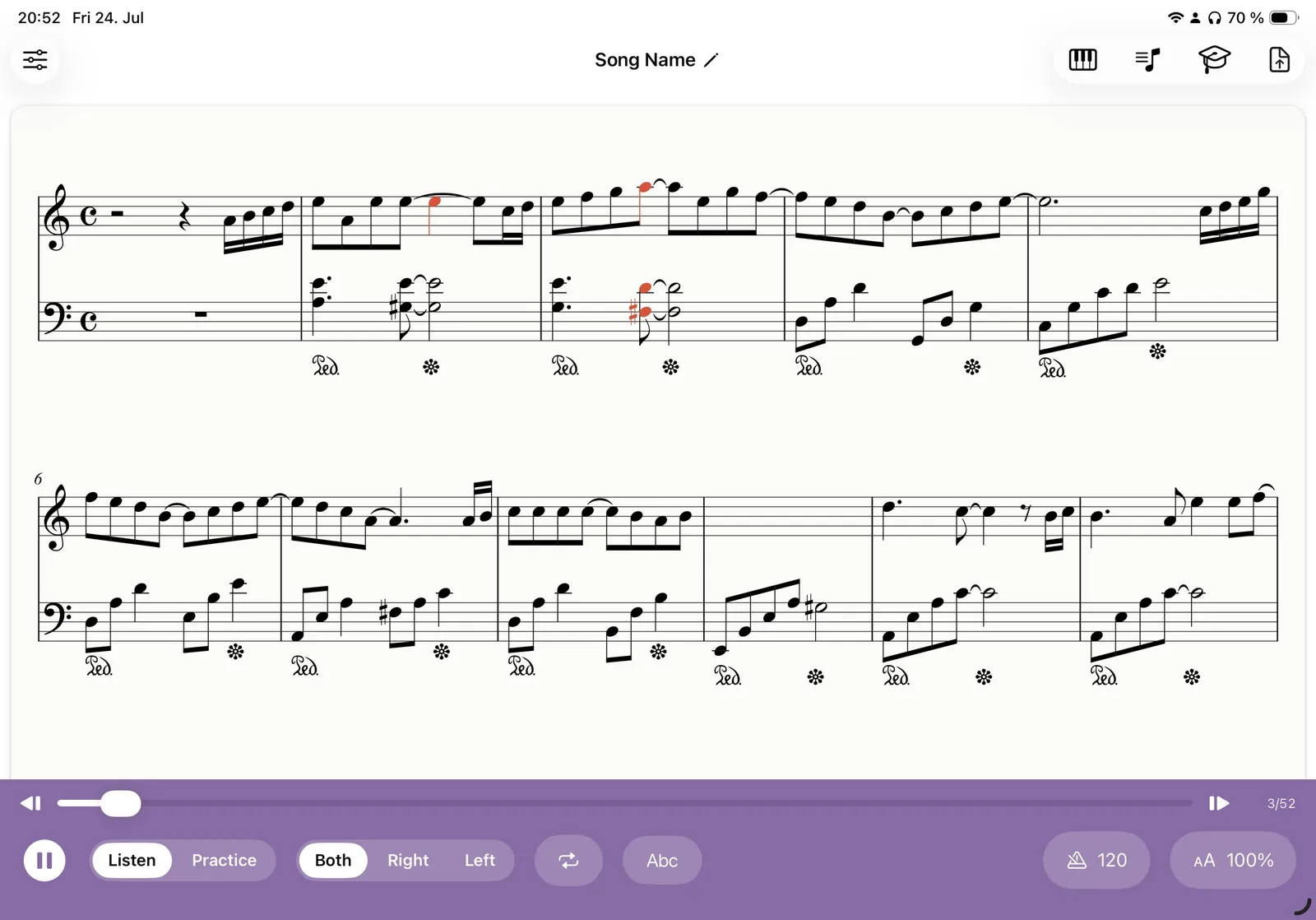
Import the file, get properly engraved notation, press play and follow a cursor through the score. Then slow it down, split the hands, loop a passage and practise it.
Why MusicXML beats a PDF
A PDF is a picture of a page. A MusicXML file is the music itself: every pitch, duration, tie, clef, key signature, repeat and dynamic marking, written down in a format any notation program can read. It is the standard interchange format for sheet music, and every major notation app supports it.
For an app that has to play the piece back, that difference is everything.
| MusicXML | ||
|---|---|---|
| Note accuracy | Exact, nothing is inferred | Recognised by OMR; very good on clean scores |
| Import speed | Immediate | Needs a recognition pass |
| Needs a connection | No | Yes, for recognition |
| Where you get it | Notation software, MuseScore, some retailers | Almost anywhere |
The practical rule: if a piece exists as MusicXML, use MusicXML. Fall back on PDF import when it does not.
Opening a MusicXML file on iPad
Both flavours of the format work: uncompressed .musicxml (and legacy
.xml exports) and compressed .mxl, which is the same data zipped and is
what most programs export by default.
Import from Files, iCloud Drive, Dropbox, or an email attachment. Klavia engraves the file into a clean interactive score. It does not just render the publisher's original layout. It lays the music out for the screen you are holding, in light or dark mode, at whatever zoom you like.
Playing it, then practising it
Playback is where a player earns its name, but a score you can only listen to is a recording. These are the tools that turn it into practice:
- Cursor playback with auto-scroll. Every note is tracked and the page follows the music.
- Tempo from the score. 100% is the piece's own marked tempo. Slow it to 60% and work up, with an optional metronome click and one-bar count-in.
- Hands separately. Right, Left or Both. The score truly re-engraves to a single staff for the hand you are drilling.
- Bar loops. Drag across a passage and repeat it until it is even.
- Note names and smart fingering. C-D-E or Do-Re-Mi labels and automatic finger numbers 1 to 5, both switchable.
- Falling notes. The same file, dropped onto an 88-key keyboard as a piano roll.
- Wait mode with MIDI. Connect a keyboard and the score waits for each correct note.
Getting MusicXML out of your notation software
If your score lives in a notation program, exporting it takes seconds:
- MuseScore: File → Export → MusicXML (choose compressed
.mxl). - Sibelius: File → Export → MusicXML.
- Finale: File → Export → MusicXML.
- Dorico: File → Export → MusicXML.
- Notion, Noteflight, Flat.io: all offer MusicXML export from their export or download menu.
Drop the exported file into iCloud Drive and it is one tap away on the iPad. This is also the neatest route for your own arrangements and compositions: write it on the desktop, practise it on the stand.
Questions
Which MusicXML file types are supported? ▾
Do I need an internet connection to open a MusicXML file? ▾
Will it look like my original layout? ▾
Can it play the piece back with a metronome? ▾
Which devices does it run on? ▾
Open your first MusicXML file
Download Klavia from the App Store and export a score from your notation app tonight.
Download on the App Store iPhone and iPad, iOS 16 or later. Android is planned after the iOS release.