 Klavia
Turn PDF sheet music into a playable piano tutor.
If you have been looking for an app to turn PDF sheet music into something playable (a page you can hear, slow down, loop and practise instead of just stare at), this is what Klavia does. You import the PDF, Klavia reads the notation, and the piece comes back as a real interactive score on your iPad or iPhone.
No catalog to subscribe to, no re-typing the notes into a notation editor. The music you already have becomes the music you practise.
How a PDF becomes a playable score
A PDF is a picture of music. It knows where the ink sits on the page, but it does not know that a dot on the third line is a B, or that the piece is in 3/4. Turning it into something an app can play means recognising the notation first, using a process called Optical Music Recognition (OMR).
- Import the PDF. One page or a whole multi-page document, from Files, iCloud Drive, or wherever you keep your scores.
- Klavia recognises the notation. Staves, clefs, key and time signatures, note heads, rests, ties and dynamics are read off the page. This step needs an internet connection.
- The piece is re-engraved. You do not get your scan back with markers drawn on it. You get clean, professionally engraved notation that reflows to your screen, zooms without going fuzzy, and reads well in light or dark mode.
- It lands in your library. From then on it plays, labels and practises fully offline.
.musicxml or .mxl), import that instead.
MusicXML already contains the exact notes, so nothing has to be guessed. And it imports with no
connection at all.What you get once it is imported
The point of converting a PDF is not to admire the conversion. It is everything that becomes possible afterwards:
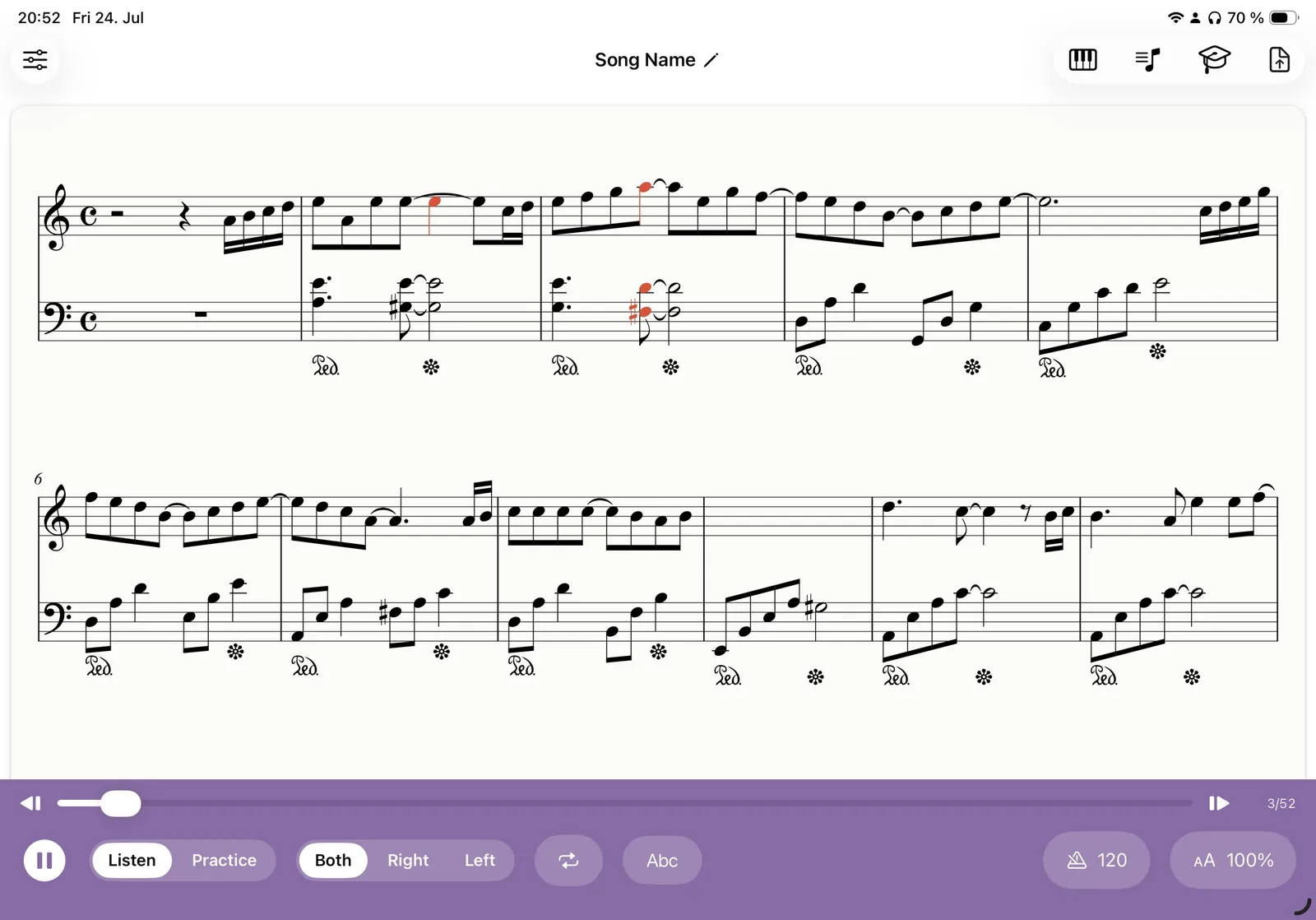
- Listen with a moving cursor. Press play and a cursor tracks every note while the score auto-scrolls, which is the fastest way to learn how a piece is supposed to go.
- Note-name labels. Turn on C-D-E (or Do-Re-Mi) above each note while you are learning, colour-coded blue for the right hand and green for the left, then switch them off for a clean score.
- Hands separately. Choose Right, Left, or Both. The score genuinely re-engraves to a single staff, so drilling the left hand does not mean reading around the right.
- Smart fingering. Finger numbers 1 to 5 are added above the notes automatically, so you always know which finger comes next.
- Your tempo. 100% is the score's own marked tempo. Drag it down to 60%, add a metronome click or a one-bar count-in, then work back up.
- Loops. Drag across a few bars and repeat that passage until it is yours.
- Falling notes. Prefer a piano-roll view? The same piece drops onto an 88-key keyboard, Synthesia-style.
- Wait mode. With a MIDI keyboard connected, the next note glows and the score waits for you to play it.
Which PDFs work best
Recognition is very good on clean printed scores, and less reliable the further a page drifts from that. A quick guide to what to expect:
| PDF type | What to expect |
|---|---|
| Publisher PDF, born digital | Excellent. Sharp vector notation is the ideal input. |
| Flat scan of a printed edition | Very good, if the page is straight and the contrast is decent. |
| Photo of a page on a music stand | Workable, but crop it and flatten the page first. Curvature and shadows are what confuse OMR. |
| Handwritten manuscript | Hard. Handwriting varies far too much to read reliably. |
| Dense orchestral or organ scores | Many staves per system stretch what OMR can do. Piano and lead-sheet layouts are the sweet spot. |
Two habits that make a real difference: scan at 300 dpi or better, and keep one piece per PDF so your library stays browsable.
A practice session, start to finish
Here is what the first twenty minutes with a newly imported PDF usually look like.
Start by listening the whole way through once with the cursor on, just to hear the shape of the piece. Then turn on note-name labels and play the right hand alone at about 70% tempo, slow enough that you never have to stop and work out a note. When the right hand runs, do the same for the left.
Now find the bar that keeps going wrong, because there is always one. Drag across it plus the bar either side, loop it, drop the tempo to 60%, and play it ten times. Add the metronome once it is even. Then take the loop off, put both hands back on, and run the section at full tempo.
Turn the labels off before you finish. Reading the real notation, without the training wheels, is the skill you are actually building.
Questions
Can I turn any PDF of sheet music into a playable piece? ▾
Does converting a PDF need an internet connection? ▾
What happens if a note is recognised wrongly? ▾
Do I need a MIDI keyboard? ▾
Which devices does this work on? ▾
Bring your own PDFs
Download Klavia from the App Store and import the pieces sitting in your Files app right now.
Download on the App Store iPhone and iPad, iOS 16 or later. Android is planned after the iOS release.