 Klavia
A piano app for my own sheet music, not a catalog.
If you have tried a few piano apps you know the pattern: a piano app for my own sheet music turns out to be a piano app for their sheet music, with a search box that never has the piece your teacher assigned. The library is the product, and you are renting access to it.
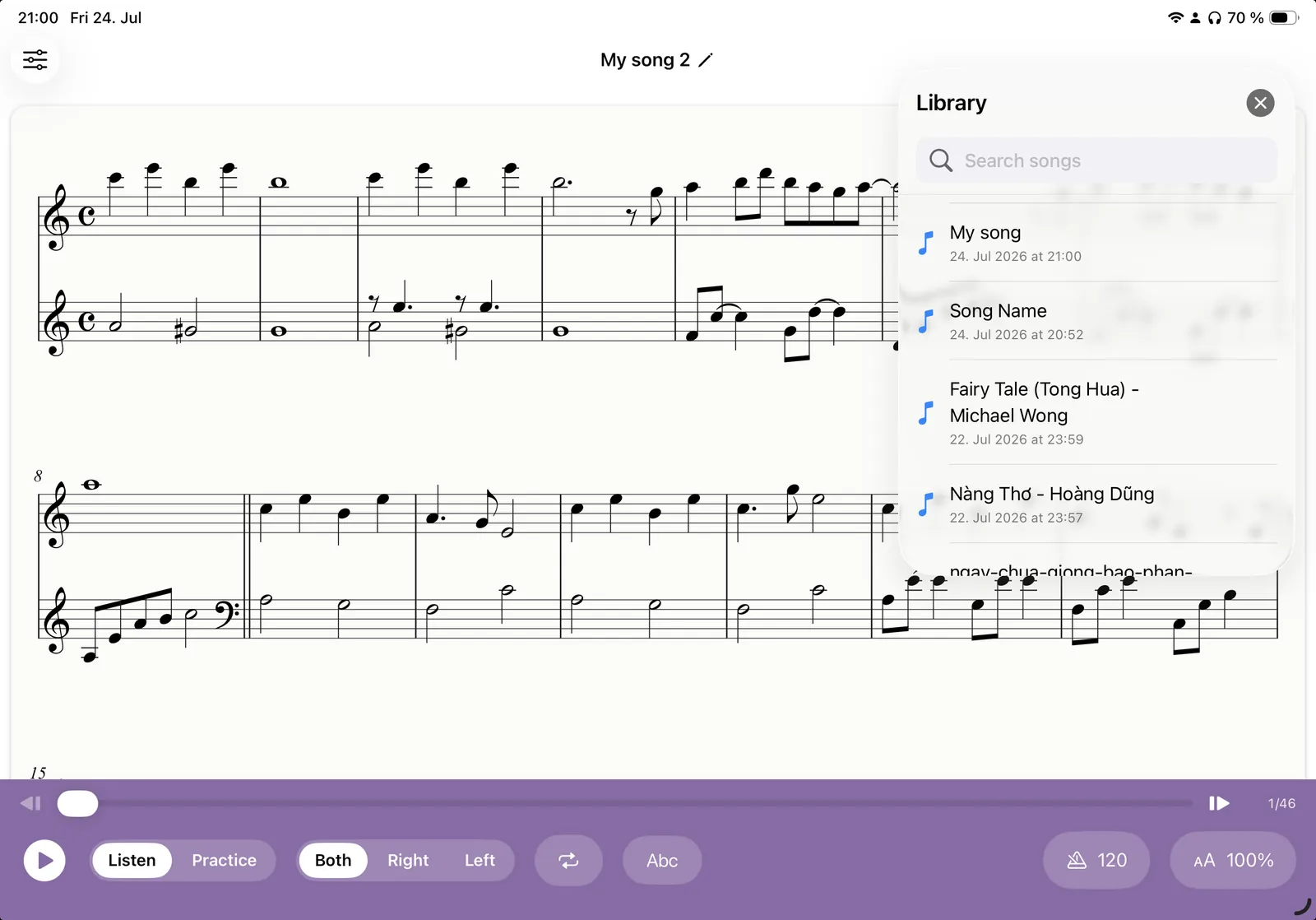
Klavia has no catalog at all. It is a practice studio that works on whatever score you bring to it.
The difference in one table
| Catalog apps | Klavia | |
|---|---|---|
| What you can play | Songs in their licensed library | Any score you import and are entitled to use |
| Your teacher's piece | Usually not available | Import the PDF and it is available |
| The notation | Often a simplified arrangement | The real edition you own |
| Arrangement | One fixed version, one fixed path | Whatever edition you chose to buy |
| If you stop paying | The library goes away | The files were always yours |
| Offline | Varies | Everything after import works offline |
Who this actually suits
Being clear about the audience is more useful than claiming to suit everyone.
- Students with a teacher. The piece you were given this week is the piece you need to practise, and it is never in a catalog.
- Exam candidates. ABRSM, Trinity, RCM and conservatory repertoire comes as books and PDFs, from a specific edition.
- Returning players. You already have a shelf of music and a decade of muscle memory; you need practice tools, not a beginner course.
- Church, choir and gig players. Somebody hands you a chart on Thursday for Sunday.
- Anyone who reads notation. If you can read at all, an app that hides real notation behind coloured blocks is a step backwards.
If you are a complete beginner who has never touched a piano and wants a structured, gamified course from lesson one, a catalog app is honestly the better starting point. Come back when you have music of your own to work on.
What you bring, and what the app adds
You bring the score: a PDF or a MusicXML file. Klavia adds the layer a piece of paper cannot give you.
- Real engraving. Crisp notation that reflows to your screen and reads well in light or dark mode.
- Playback with a cursor that follows every note while the page scrolls itself.
- Hands separately, re-engraved to a single staff rather than merely muted.
- Tempo, metronome and count-in, anchored to the score's own marked tempo.
- Bar loops for the passage that keeps failing.
- Note names and smart fingering, on while learning and off when you are not.
- Falling notes and wait-mode play-along with a MIDI keyboard or the microphone.
- Finger Practice: built-in warm-ups, scales, arpeggios and finger-independence drills that need no import at all.
The honest trade-offs
Bring-your-own-music is not free of friction, and it would be dishonest to pretend otherwise.
You have to have the music. There is no catalog to browse on a Sunday afternoon. Public-domain libraries such as IMSLP cover most of the classical repertoire for free, and digital retailers sell PDFs of nearly everything else, but sourcing is your job.
PDF recognition is not magic. It is very good on clean printed scores and struggles with handwritten manuscript, warped photos and dense multi-staff layouts. MusicXML sidesteps the problem where it is available.
There is no course. Klavia gives you tools, not a curriculum. If you want to be told what to learn next, you want a teacher or a course app, and Klavia sits happily alongside either.
Questions
Is there any built-in song library? ▾
What sheet music am I allowed to use? ▾
Where does my imported music live? ▾
Is this suitable for a complete beginner? ▾
What does it cost? ▾
Your music, your app
Download Klavia from the App Store and practise the piece already on your stand.
Download on the App Store iPhone and iPad, iOS 16 or later. Android is planned after the iOS release.